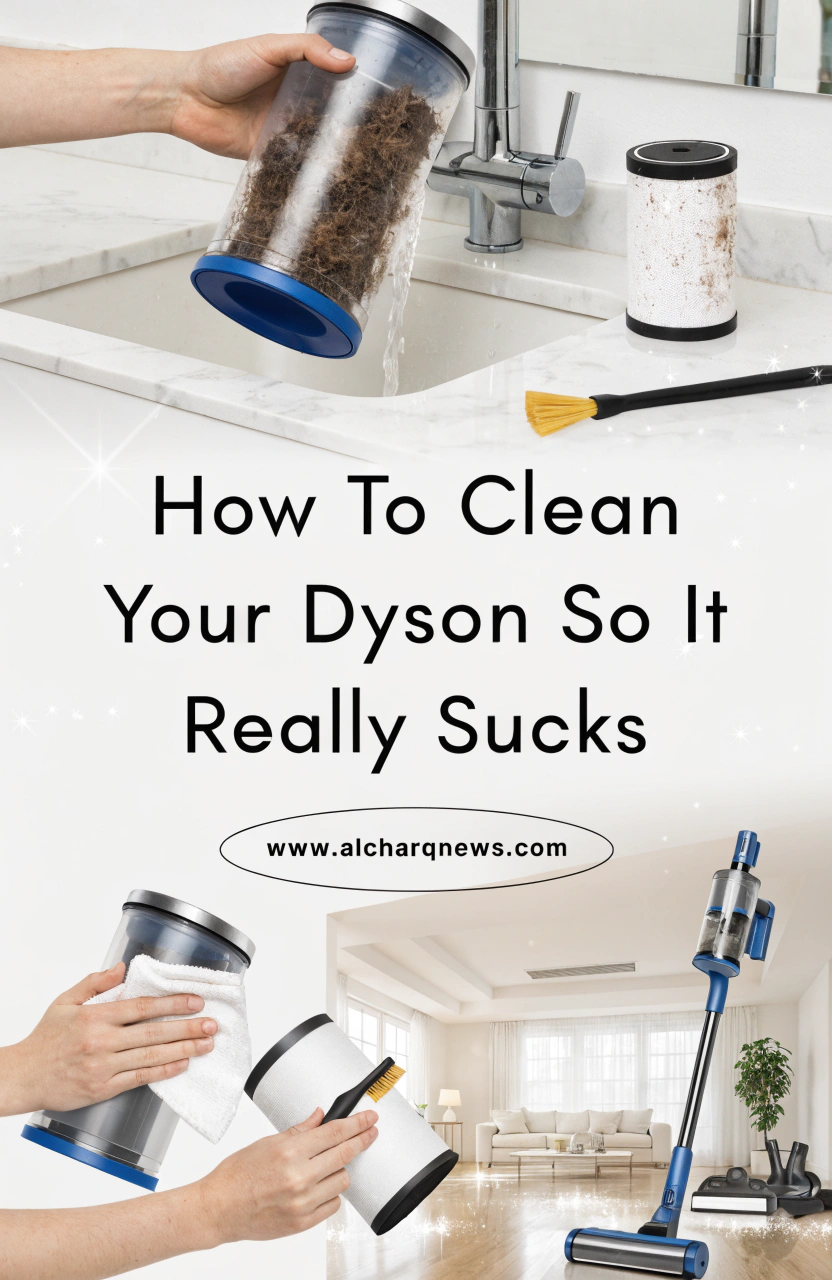
How To Clean Your Dyson So It Really Sucks: The Ultimate Maintenance Guide
Introduction: Bring Your Dyson Back to Life
When you first brought home your Dyson vacuum, you probably loved how effortlessly it picked up dirt, pet hair, and dust. The powerful suction made cleaning faster and easier. But over time, you may have noticed a change. The vacuum doesn’t seem as strong as it once was, debris gets left behind, and cleaning takes more effort than it should.
Before assuming your vacuum needs replacing, consider a simple solution: it may just need a thorough cleaning. Dust buildup, clogged filters, tangled brush bars, and blocked airways can significantly reduce performance. Fortunately, regular maintenance can restore much of your Dyson’s original power.
In this guide, you’ll learn How To Clean Your Dyson So It Really Sucks, helping you improve suction, extend the life of your vacuum, and keep your home cleaner with less effort.
Why Cleaning Your Dyson Vacuum Is Important
Your Dyson relies on strong airflow to deliver powerful suction. When internal components become clogged, airflow is restricted, making the vacuum work harder while cleaning less effectively.
Benefits of Regular Dyson Maintenance
- Maintains maximum suction power
- Improves cleaning performance
- Extends the vacuum’s lifespan
- Reduces unpleasant odors
- Prevents overheating
- Helps avoid costly repairs
A clean vacuum doesn’t just perform better—it also protects your investment.
Signs Your Dyson Needs Cleaning
Watch for these warning signs:
- Reduced suction
- Dust escaping from the vacuum
- Strange smells during use
- Unusual noises
- Brush bar not spinning properly
- Frequent clogging
If you notice any of these issues, it’s probably time for maintenance.
How Often Should You Clean Your Dyson?
A simple maintenance schedule helps keep your vacuum performing at its best.
| Dyson Component | Cleaning Frequency |
|---|---|
| Dust Bin | After Every Use |
| Filter | Monthly |
| Brush Bar | Monthly |
| Hose & Attachments | Every 1–2 Months |
| Deep Cleaning | Every 3 Months |
Following this schedule can prevent many common performance problems.
Know Your Dyson Components Before Cleaning
Understanding the main parts of your Dyson makes maintenance easier.
Dust Bin
The dust bin collects dirt and debris during cleaning. If it becomes too full, airflow can be restricted.
Filters
Filters trap fine dust particles and allergens. Dirty filters are one of the most common causes of suction loss.
Brush Bar
The rotating brush bar loosens dirt from carpets. Hair and fibers often become wrapped around it.
Hose and Wand
These components transport dirt and debris through the vacuum and can occasionally become blocked.
Cyclone Assembly
The cyclone system separates dirt from airflow and plays a critical role in maintaining suction power.
Essential Supplies for Cleaning Your Dyson
Gather a few simple supplies before you begin.
Cleaning Tools Checklist
- Microfiber cloths
- Soft brush
- Old toothbrush
- Mild dish soap
- Warm water
- Scissors or seam ripper
Cleaning Ingredients
| Ingredient | Purpose |
|---|---|
| Warm Water | General cleaning |
| Mild Dish Soap | Removing grime |
| Microfiber Cloth | Dust removal |
| Soft Brush | Cleaning tight spaces |
Most Dyson maintenance can be completed using items you already have at home.
Step 1: Safely Disassemble Your Dyson
Safety should always come first.
Before You Begin
- Turn off the vacuum
- Disconnect charging cables
- Remove the battery if applicable
- Work in a well-lit area
Parts to Remove
- Dust bin
- Filter
- Attachments
- Brush bar
Consult your owner’s manual if you’re unsure how specific parts detach.
Step 2: Empty and Clean the Dust Bin
A full dust container reduces airflow and suction.
Cleaning Instructions
- Empty the contents into a trash bag.
- Remove loose debris from corners.
- Wash the removable bin with warm water.
- Avoid using strong chemicals.
- Allow it to dry completely.
Common Mistakes
- Reinstalling a wet dust bin
- Using abrasive scrubbers
- Ignoring trapped debris
Even a small amount of moisture can cause issues inside the vacuum.
Step 3: Wash the Dyson Filter Properly
The filter is one of the most important components affecting suction performance.
Why Filter Cleaning Matters
Dirty filters:
- Restrict airflow
- Reduce suction
- Force the motor to work harder
Step-by-Step Filter Cleaning
- Remove the filter.
- Rinse under cold running water.
- Gently squeeze out excess water.
- Continue rinsing until water runs clear.
- Leave the filter to air dry for 24–48 hours.
Important Filter Tips
- Never use detergent.
- Never place the filter in a dryer.
- Never reinstall a damp filter.
Patience is essential. A fully dry filter protects your vacuum from damage.
Step 4: Remove Hair and Debris from the Brush Bar
The brush bar experiences significant wear and tear, especially in homes with pets.
Why Brush Bar Maintenance Matters
Hair buildup can:
- Reduce cleaning performance
- Prevent proper rotation
- Increase motor strain
Cleaning Process
Tools Needed
- Scissors
- Soft brush
Steps
- Remove the brush bar.
- Cut away tangled hair.
- Remove string and fibers.
- Brush away remaining debris.
- Reinstall securely.
A clean brush bar often produces immediate improvements in carpet cleaning performance.
Step 5: Check for Blockages in the Hose and Wand
Even a small blockage can dramatically affect suction.
Common Areas for Clogs
- Hose bends
- Wand openings
- Attachment connections
How to Inspect for Blockages
- Disconnect the hose.
- Shine a flashlight through it.
- Remove visible debris carefully.
- Reassemble the vacuum.
Never use sharp tools that could puncture or damage internal components.
Step 6: Clean Dyson Attachments and Accessories
Attachments collect dust, hair, and debris over time.
Frequently Used Accessories
- Crevice tools
- Upholstery brushes
- Dusting brushes
- Pet grooming tools
Cleaning Method
- Wash removable parts with warm water.
- Wipe down surfaces with a damp cloth.
- Allow everything to dry completely.
Clean attachments improve overall vacuum performance and hygiene.
Step 7: Wipe Down the Exterior and Cyclone Assembly
The outside of your Dyson deserves attention too.
Exterior Cleaning Tips
- Remove dust from handles and controls.
- Wipe surfaces with a microfiber cloth.
- Clean hard-to-reach areas using a soft brush.
Cyclone Assembly Care
The cyclone assembly should never be submerged in water.
Instead:
- Use a dry cloth.
- Remove dust with a soft brush.
- Avoid chemical cleaners.
Proper cyclone maintenance helps preserve airflow efficiency.
Common Dyson Cleaning Mistakes to Avoid
Avoid these common errors to protect your vacuum.
Washing Non-Washable Components
Some parts are not designed for water exposure.
Reinstalling Damp Filters
Moisture can damage internal components.
Ignoring Brush Bar Hair Buildup
Hair accumulation can significantly reduce performance.
Skipping Routine Maintenance
Small issues often become larger problems when neglected.
Using Harsh Chemicals
Strong cleaners may damage plastic components and seals.
How to Keep Your Dyson Running Like New
Preventive maintenance saves time and money.
Monthly Maintenance Checklist
- Empty dust bin regularly
- Wash filters
- Clean brush bar
- Inspect hose
- Wipe attachments
Storage Tips
- Store indoors
- Avoid damp environments
- Keep away from extreme temperatures
Good storage habits help preserve vacuum performance.
Troubleshooting Dyson Suction Problems
If your Dyson still struggles after cleaning, investigate these possibilities.
Common Causes of Suction Loss
- Dirty filter
- Blocked hose
- Full dust bin
- Worn brush bar
- Damaged seals
When to Contact Dyson Support
Seek professional assistance if you notice:
- Electrical issues
- Motor failure
- Persistent suction loss
- Unusual burning smells
Frequently Asked Questions
How often should I clean my Dyson filter?
Most Dyson filters should be cleaned approximately once every month.
Can I wash every Dyson component?
No. Some components should only be wiped clean and should never be submerged.
Why is my Dyson losing suction?
Dirty filters, clogged hoses, and tangled brush bars are among the most common causes.
How long should Dyson filters dry?
Allow at least 24 to 48 hours for complete drying.
Why is learning How To Clean Your Dyson So It Really Sucks important?
Regular maintenance restores performance, improves suction, extends lifespan, and helps your vacuum clean more efficiently.
Conclusion
Learning How To Clean Your Dyson So It Really Sucks is one of the easiest ways to improve cleaning performance without spending money on a replacement. A few minutes of maintenance each month can restore powerful suction, improve efficiency, and help your vacuum last for years.
By cleaning filters, removing blockages, maintaining the brush bar, and following a simple maintenance routine, you’ll enjoy better cleaning results and a healthier home environment.
Have you cleaned your Dyson recently? Share your favorite maintenance tip or tell us how much suction power you regained after a thorough cleaning in the comments below!